📖 Lesson content
Video
Building your first managed agent
If you've built an agent loop by hand, you know the drill: while loops, stop reason switches, tool executions. That works, and for a lot of features it's actually the right shape. But sometimes that loop is going to run for a very long time — minutes, maybe even hours — across many tools, with state to keep, files to write, and work to resume after a network hiccup. At that point, you don't want to run the loop on your server. You want to delegate it. That's what managed agents are.
What is a managed agent?
A managed agent is an agent loop that runs on Anthropic's infrastructure instead of yours. You describe the agent once, you give it an environment to work in, and you start a session. Anthropic runs the loop, and you just stream the events back out as it works.
Managed agents are enabled by default for every API account — no special access needed.
The four primitives
There are four primitives, and they come in order:
- Agent — the persona: model, system prompt, and toolset. This is reusable across many runs.
- Environment — where the agent runs: cloud or local, networking config, and so on.
- Session — a single run of an agent inside a certain environment. The session is the unit of work.
- Events — the messages flowing in and out: the agent's actions, the tool calls, the results, the replies.
Here's how the pieces fit together: your app talks to a session, the session drives work inside the environment, and everything that happens flows back out through the event stream:
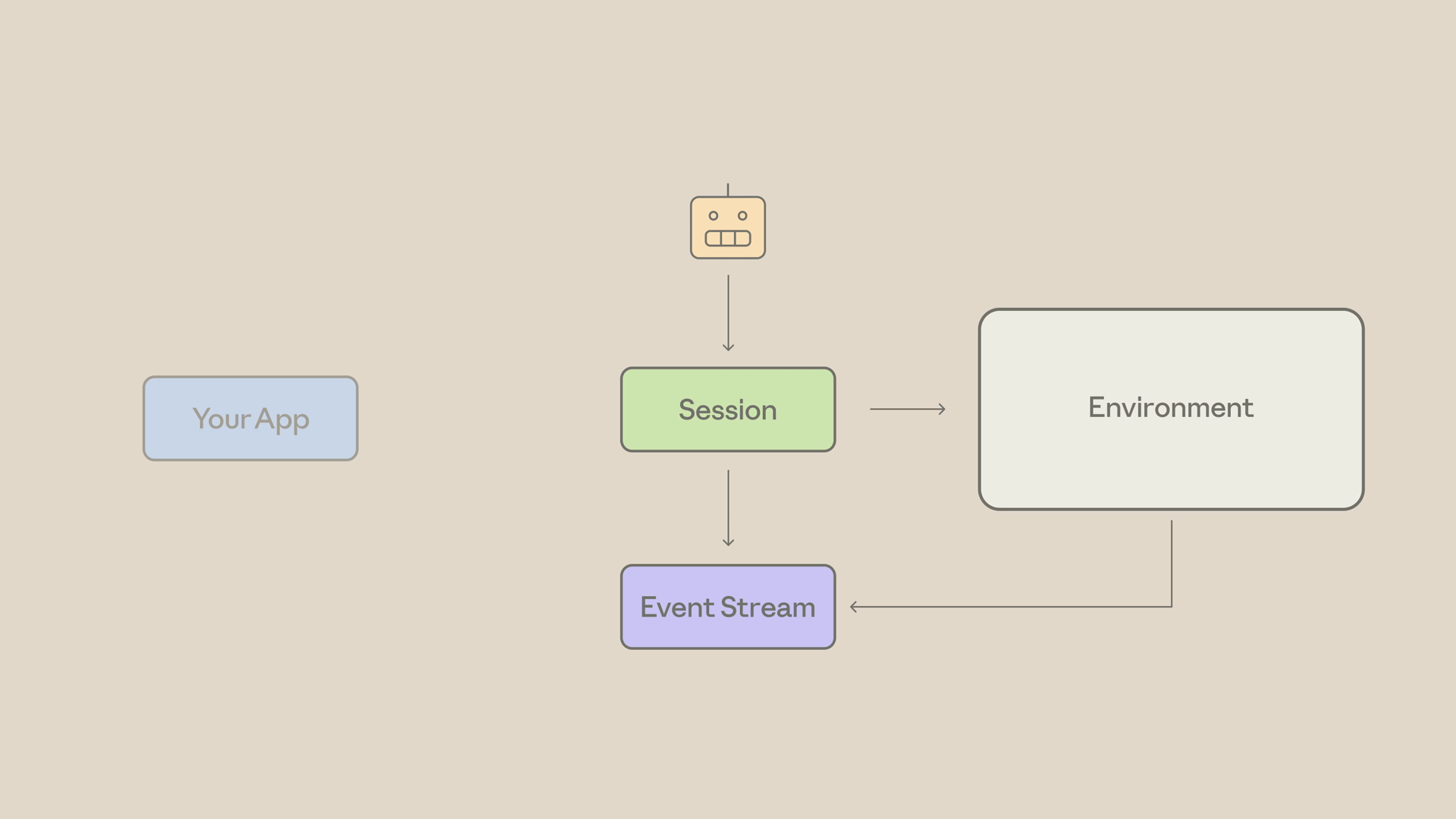
Notice the shift here: you're not running a while loop. You're sending events and reading events.
The smallest possible managed agent
Let's build the smallest managed agent that does something useful: create a file in the temp drive, count its lines, and report back.
For tools, we'll use the agent toolset — Anthropic's bundled file, bash, and web tools. They work fine for this task, so we don't have to define any tools ourselves.
Step 1: Create the agent
First, we create the agent. Note the agent toolset defined right in the tools array — that's the bundled toolset:
import anthropic

client = anthropic.Anthropic()

agent = client.beta.agents.create(
    name="Line Counter",
    model="claude-opus-4-8",
    system="You are a helpful agent that completes small file tasks.",
    tools=[
        {"type": "agent_toolset_20260401", "default_config": {"enabled": True}}
    ],
)
Remember: the agent is reusable. Create it once and run it across many sessions.
Step 2: Create the environment
Next, the environment. This spins up the container template — cloud, with unrestricted networking. This is the sandbox where the file actually gets written:
environment = client.beta.environments.create(
    name="line-counter-env",
    config={
        "type": "cloud",
        "networking": {"type": "unrestricted"},
    },
)
Step 3: Create the session
Then we create a session with our agent and environment, plus an optional title. The session is the unit of work:
session = client.beta.sessions.create(
    agent=agent.id,
    environment_id=environment.id,
    title="Count lines demo",
)
Step 4: Open the stream, then send the kickoff
Now we open the event stream — and notice that we do this first. The stream only delivers events that occur after it opens, so always open it before sending the kickoff message. Then we send the user message into the live stream:
with client.beta.sessions.events.stream(session_id=session.id) as stream:
    # Stream is open — now send the kickoff
    client.beta.sessions.events.send(
        session_id=session.id,
        events=[
            {
                "type": "user.message",
                "content": [
                    {
                        "type": "text",
                        "text": "Create a file in the temp directory, "
                                "count its lines, and report back.",
                    }
                ],
            }
        ],
    )
Notice it's events — plural. Events are how everything flows in this API.
Step 5: Consume the stream
Finally, we consume the stream. There are three event types that matter for this demo:
agent.message— Claude's textagent.tool_use— what tool Claude pickedsession.status_idle— the agent is done
    for event in stream:
        if event.type == "agent.message":
            for block in event.content:
                if block.type == "text":
                    print(block.text, end="", flush=True)
        elif event.type == "agent.tool_use":
            print(f"\n[tool] {event.name}")
        elif event.type == "session.status_idle":
            print("\n--- Agent done ---")
            break
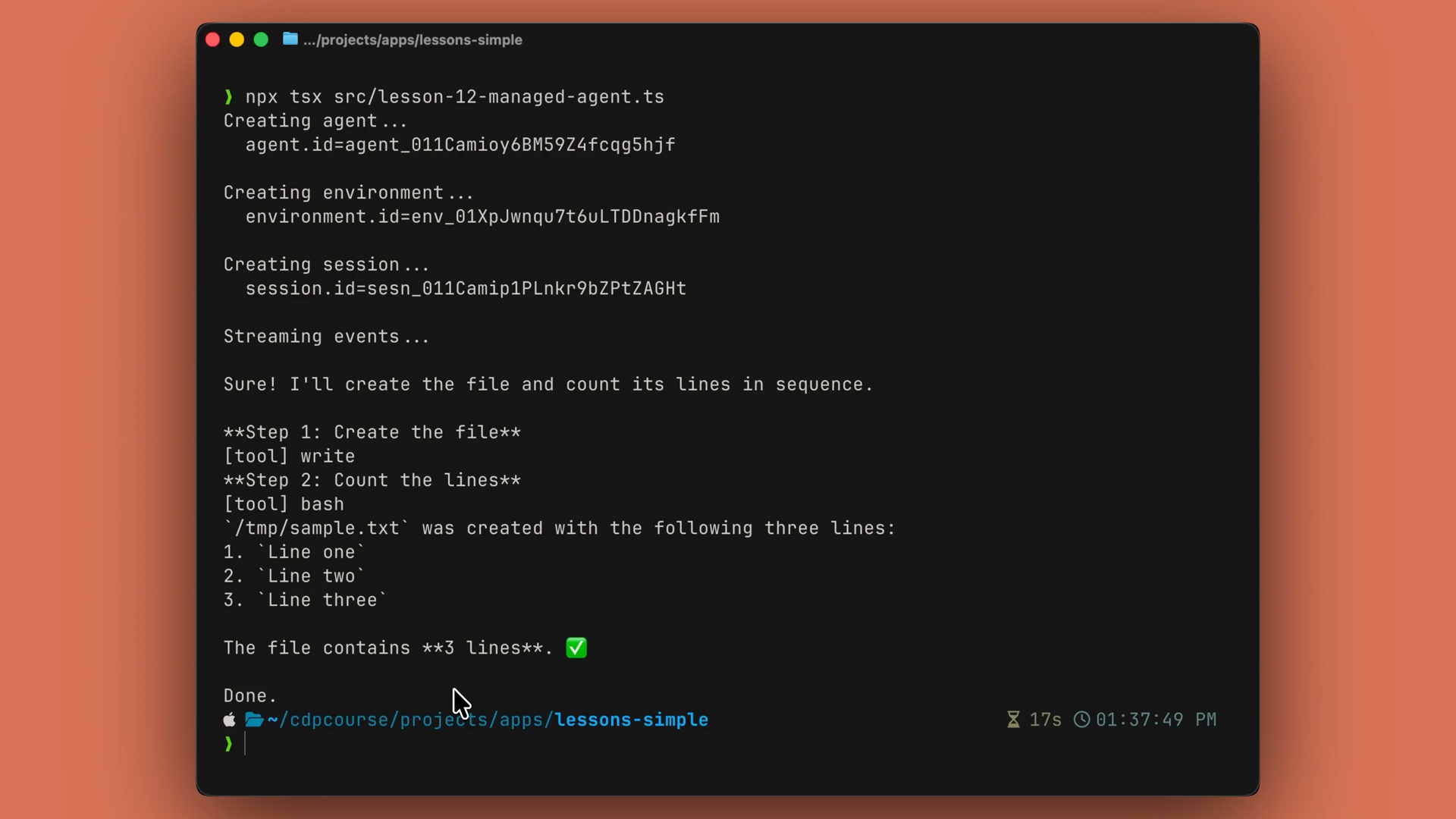
Run it, and the output is the agent reasoning out loud — actual text, the tools it picks, and a final answer. All of it running inside Anthropic's container, not yours:
The trade
Usually with agents, we have our own loop where we have to control everything. With managed agents, you delegate that loop, the sandbox, and the resumability — and just consume the event stream as it comes in.
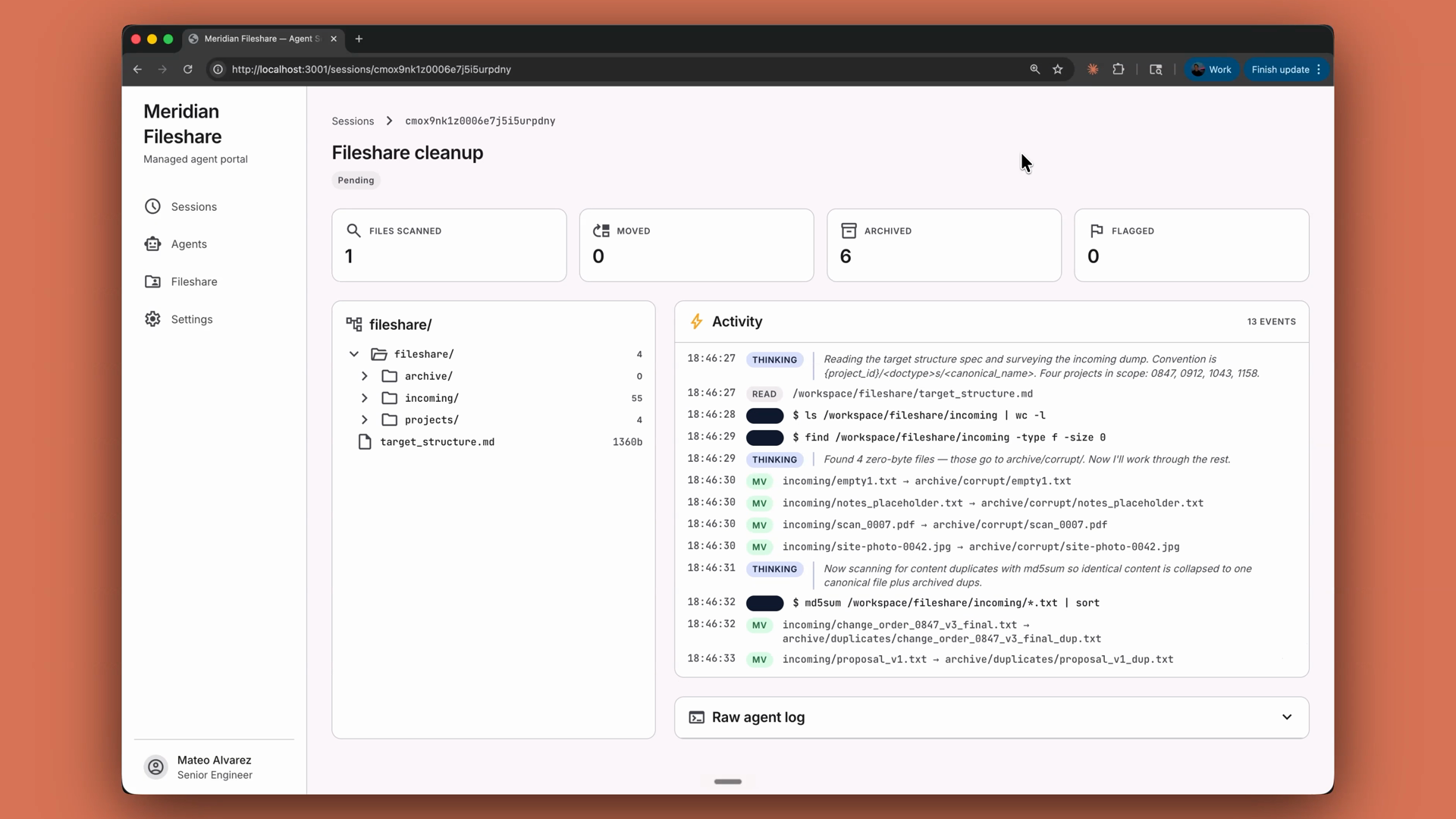
In a production app, this is the shape for long-running, file-touching, "go organize this for me" tasks. Picture a file share cleanup: a managed agent reads a target directory structure spec, walks the messy incoming folder, moves files into the right project folders, archives duplicates and zero-byte garbage, and flags anything it can't confidently place — all in a session that can run for minutes against thousands of files. Here's what that looks like in a real app — a fileshare cleanup dashboard streaming the agent's activity live as it sorts, archives, and flags files:
Recap
- Managed agents are the agent loop, run for you — on Anthropic's infrastructure instead of your server.
- The flow is: create an agent, create an environment, create a session, send events in, and stream events out.
- The agent (model, system prompt, toolset) is reusable across runs; the session is a single run; events are how everything flows.
- Open the event stream before sending your kickoff message — it only delivers events that occur after it opens.
- Watch for three events:
agent.message(text),agent.tool_use(tool picks), andsession.status_idle(done). - Reach for managed agents when the loop would run too long, do too much, or need to survive a hiccup. Reach for a manual loop when you want full control.
🎬 Video transcript
Source video:
1Rl3gZrlQJo
No transcript available — see lesson body for narrative content.
🔁 Related lessons
- Next: Building with Claude Code
- Previous: What are managed agents?
- Part of paths: Path C
- Reference docs: Glossary · Skills atlas · By use-case
📚 Source & attribution
- Original Anthropic Academy lesson: https://anthropic.skilljar.com/claude-platform-101/486264
- © 2025 Anthropic. Educational fair-use only.