📖 Lesson content
Video
The agent loop explained
You've made API calls, but a single call only returns one response. If you want to automate a workflow, Claude needs to act, look at the result, decide what's next, and keep going. That pattern is what people mean when they talk about agentic workflows.
What an agent actually is
An agent is an autonomous version of Claude, running both sides of the messaging loop without a human in the middle. An agent receives a task, picks a tool, and executes code in a loop until Claude decides the task is done.
The easiest way to implement an agent loop looks like this:
- Send a message to Claude with tools available.
- Claude responds with either a final answer or a request to use a tool you defined.
- Your code executes that tool.
- You send the result back to Claude.
- Repeat until the stop reason is
end_turn.
Think of it as a conversation where the turns alternate: the user kicks things off, the agent calls a tool, the tool returns a result, and the agent keeps going until it has an answer.
A minimal working example
To see this loop run end to end without dragging in a database or a UI, we'll wire up a fake tool called get_weather and ask Claude what to wear in Austin today. Claude has no way to know the weather on its own, so it has to call the tool, read the result, and then give you an answer.
Here's the whole script:
import anthropic

client = anthropic.Anthropic()

tools = [
    {
        "name": "get_weather",
        "description": "Get the current weather for a city.",
        "input_schema": {
            "type": "object",
            "properties": {
                "city": {
                    "type": "string",
                    "description": "The city to get weather for",
                }
            },
            "required": ["city"],
        },
    }
]

def run_tool(name, tool_input):
    if name == "get_weather":
        return f"Weather in {tool_input['city']}: 95F, sunny"
    raise ValueError(f"Unknown tool: {name}")

messages = [
    {"role": "user", "content": "What should I wear in Austin today?"}
]

while True:
    response = client.messages.create(
        model="claude-sonnet-4-6",
        max_tokens=1024,
        tools=tools,
        messages=messages,
    )

    if response.stop_reason == "end_turn":
        # Claude is done. Print the final text and break.
        for block in response.content:
            if block.type == "text":
                print(block.text)
        break

    if response.stop_reason == "tool_use":
        # Find the tool use blocks in the response and run each one.
        tool_results = []
        for block in response.content:
            if block.type == "tool_use":
                result = run_tool(block.name, block.input)
                tool_results.append(
                    {
                        "type": "tool_result",
                        "tool_use_id": block.id,
                        "content": result,
                    }
                )

        # Push the assistant's response and our tool results
        # back into messages, then loop again so Claude can answer.
        messages.append({"role": "assistant", "content": response.content})
        messages.append({"role": "user", "content": tool_results})
Three pieces to notice:
- The tools array tells Claude what's available: a name, a description, and a JSON schema for the inputs.
run_toolis just a hardcoded lookup. In a real app, this would hit your database, an API, whatever.- The loop is the agent loop. Each iteration sends the messages to Claude and switches on the response's stop reason. On
end_turn, Claude is done — print the final text and break. Ontool_use, find the tool use blocks, run each one, push the assistant's response and your tool results back intomessages, and loop again so Claude can answer.
Running it
When you run the script, you'll see two turns:
- Turn one: the stop reason is
tool_use. Claude requestsget_weatherfor Austin, and your code returns the temperature and conditions. - Turn two: the stop reason is
end_turn, and Claude tells you to wear something light and breathable.
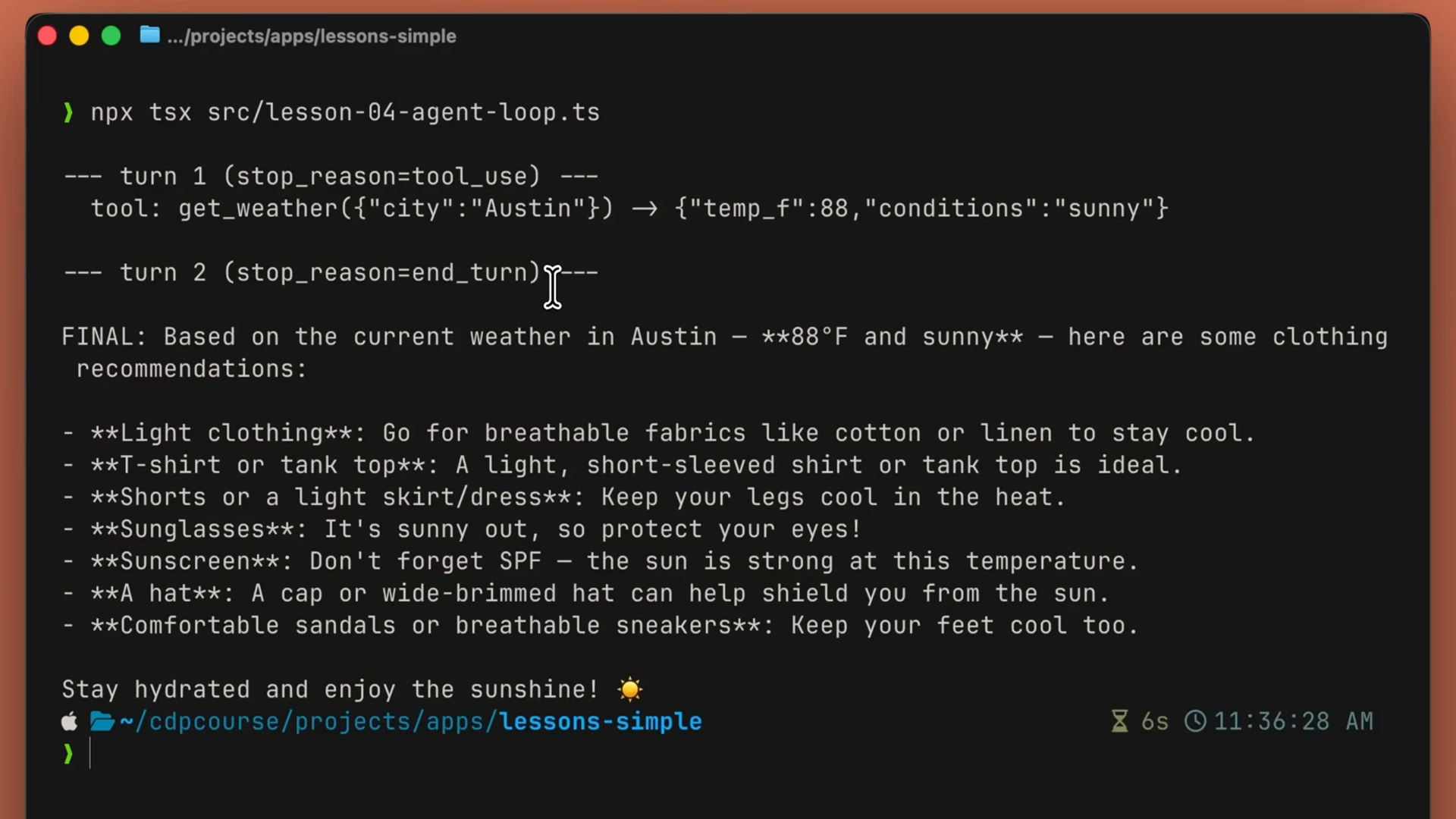
Two API calls, one tool execution, one final answer. That's the entire loop. Everything you build with the Claude API is going to be similar to this.
The same loop in production
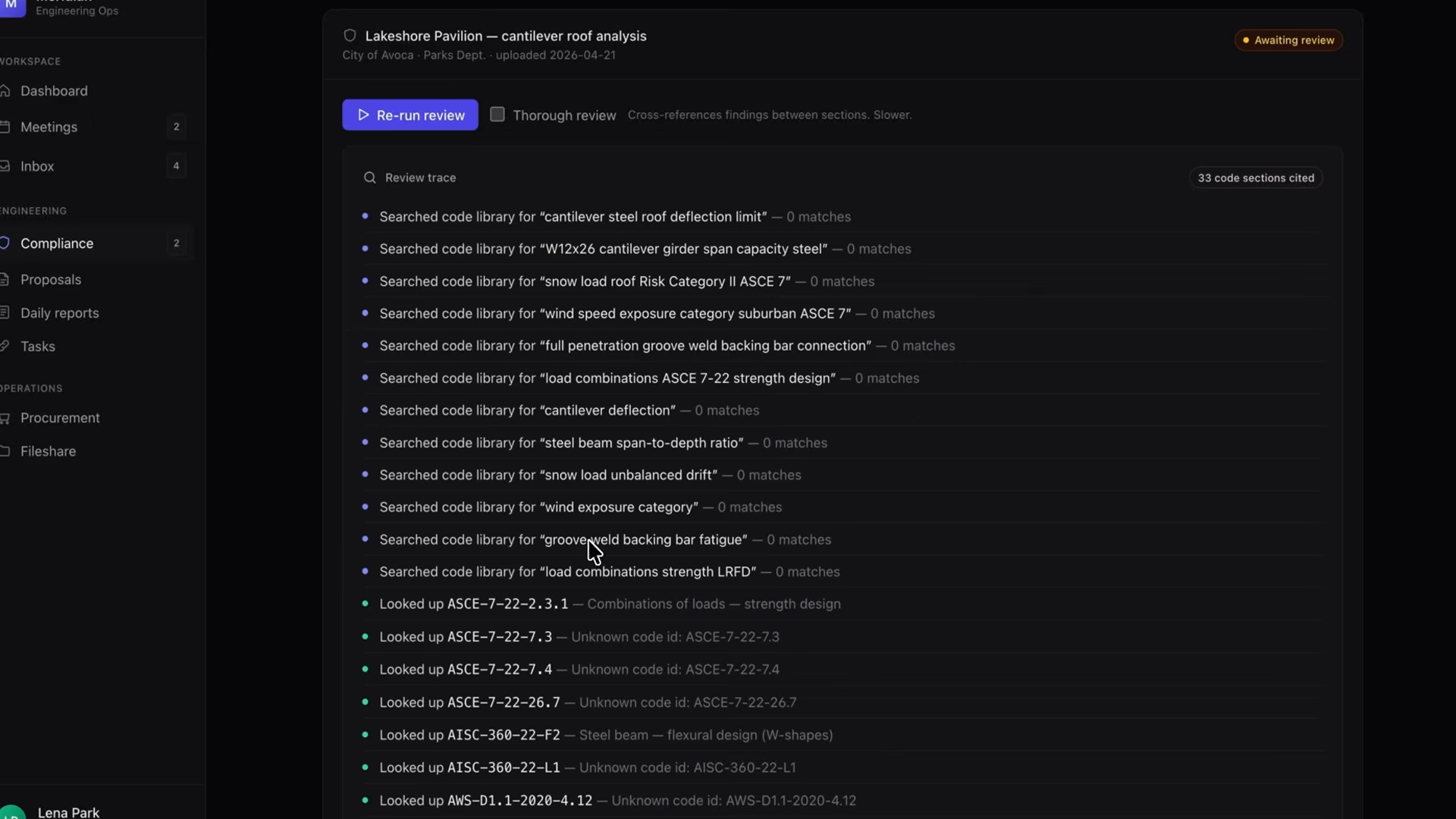
In a real environment, this same loop powers something like an auto-review endpoint: a compliance agent that reads a structural report, looks up the relevant building codes via a tool, and writes risk findings back to the database one by one as it works.
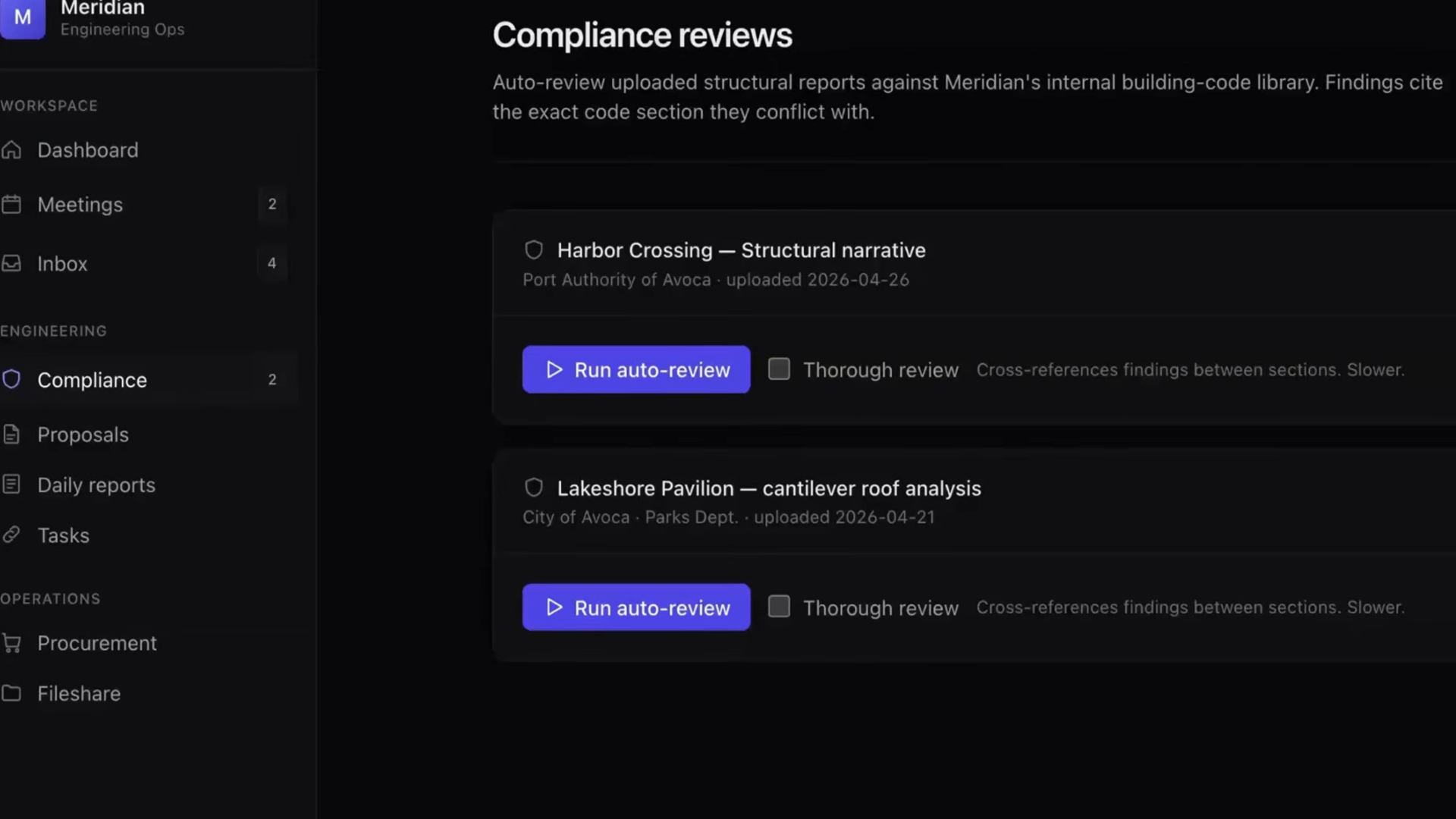
The shape of the loop is identical to what you just ran. The differences are:
- Real tools instead of a mock weather lookup.
- Results stream back to the UI as server-sent events.
- Findings get persisted to a risk-finding table.
Recap
- An agent is Claude in a loop: observe, decide, act, repeat.
- The loop is simple: send messages with tools, run any tool Claude requests, feed the result back, and stop when the stop reason is
end_turn. - You own the loop and the tools. Claude owns the reasoning.
- The same loop shape scales from a mock weather demo to a production compliance agent — only the tools and plumbing change.
- When you don't want to own the loop, managed agents run this exact loop for you on Anthropic's infrastructure.
🎬 Video transcript
Source video:
tBIdyIoCQVU
No transcript available — see lesson body for narrative content.
🔁 Related lessons
- Next: What is tool use?
- Previous: Choosing the right model
- Part of paths: Path C
- Reference docs: Glossary · Skills atlas · By use-case
📚 Source & attribution
- Original Anthropic Academy lesson: https://anthropic.skilljar.com/claude-platform-101/486254
- © 2025 Anthropic. Educational fair-use only.