📖 Lesson content
Video
Built-in tools
You can build your own custom tools, but some capabilities are common enough that Anthropic ships them pre-built. You don't write the code. You don't host the sandbox. You just declare the tool, and Anthropic runs it.
Server tools: declared by you, run by Anthropic
Anthropic provides server tools that run on their infrastructure. You don't execute these — Anthropic does. That means you don't need an agent loop for these calls. Claude calls the tools on its own, and the result comes back inside the same response.
The main ones are:
- Web search — searches the internet and returns results with citations
- Code execution — writes and runs Python in a sandbox
- Web fetch — retrieves full content from URLs
Two server tools in one file
Let's check out some of the big ones in one file: two messages.create calls, one with web search and one with code execution.
import anthropic

client = anthropic.Anthropic()

search_response = client.messages.create(
    model="claude-opus-4-8",
    max_tokens=1024,
    tools=[{"type": "web_search_20260209", "name": "web_search"}],
    messages=[
        {"role": "user", "content": "What is Anthropic's latest model release? Answer in one sentence."}
    ],
)

for block in search_response.content:
    if block.type == "server_tool_use":
        print(f"Tool call: {block.name} — {block.input}")
    elif block.type == "text":
        print(block.text)

code_response = client.messages.create(
    model="claude-opus-4-8",
    max_tokens=1024,
    tools=[{"type": "code_execution_20260120", "name": "code_execution"}],
    messages=[
        {"role": "user", "content": "Calculate the mean and standard deviation of [1, 2, 3, 4, 5, 6, 7, 8, 9, 10]"}
    ],
)

for block in code_response.content:
    if block.type == "server_tool_use":
        print(f"Tool call: {block.name} — {block.input}")
    elif block.type == "bash_code_execution_tool_result":
        print(f"stdout: {block.content.stdout}")
    elif block.type == "text":
        print(block.text)
Two things to notice:
- There's no agent loop here. We don't switch on
stop_reason. We don't push tool results back. Anthropic runs the tool server-side, and the response already contains the result. - The response has new block types. A
server_tool_useblock for the tool call, a code execution tool result block for the output, plus the regulartextblocks.
Running it
For web search, you'll see Claude's tool call printed, then a one-sentence answer about the latest model release with the search citations folded in.
For code execution, you'll see the actual Python Claude wrote, the stdout from the sandbox running it, and a final text answer.
We didn't have to spin up a search crawler. We didn't run a Python sandbox. We declared two tools and got both for free.
The other category: client tools
Worth knowing the other category exists. Client tools run where your code runs. They're shipped in the Claude SDK, so you don't have to define the schema yourself. Two examples:
- Memory — Claude reads and writes memory across sessions
- Bash — a persistent bash shell so Claude can execute commands
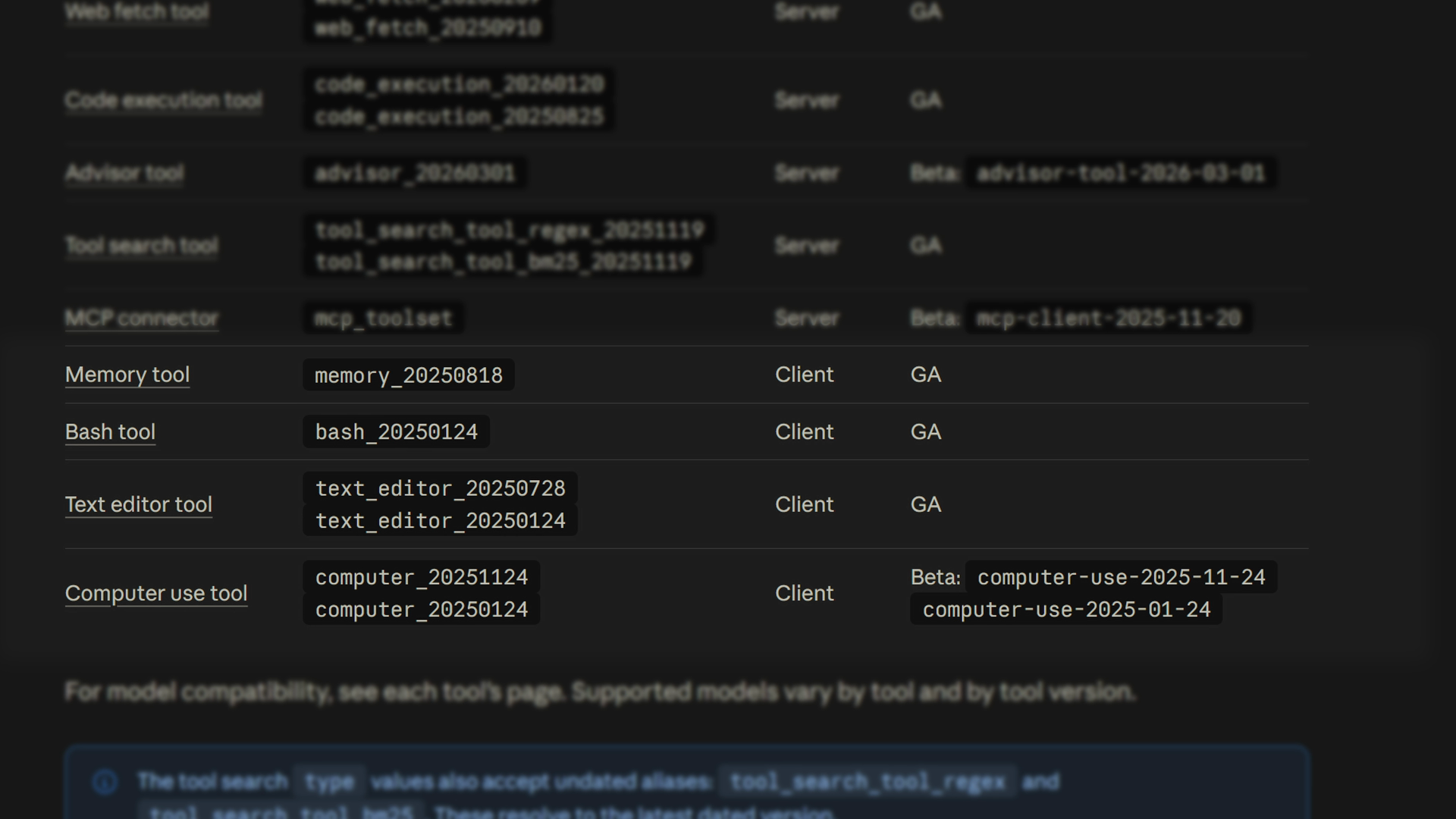
They have the same shape as a custom tool, but the SDK gives you the schema and a sensible runner.
Why this matters in production
In a production app, this is the shortest path to features that would otherwise take weeks. Web search can power a fact-check endpoint that verifies every numeric and regulatory claim in a draft against the live web.
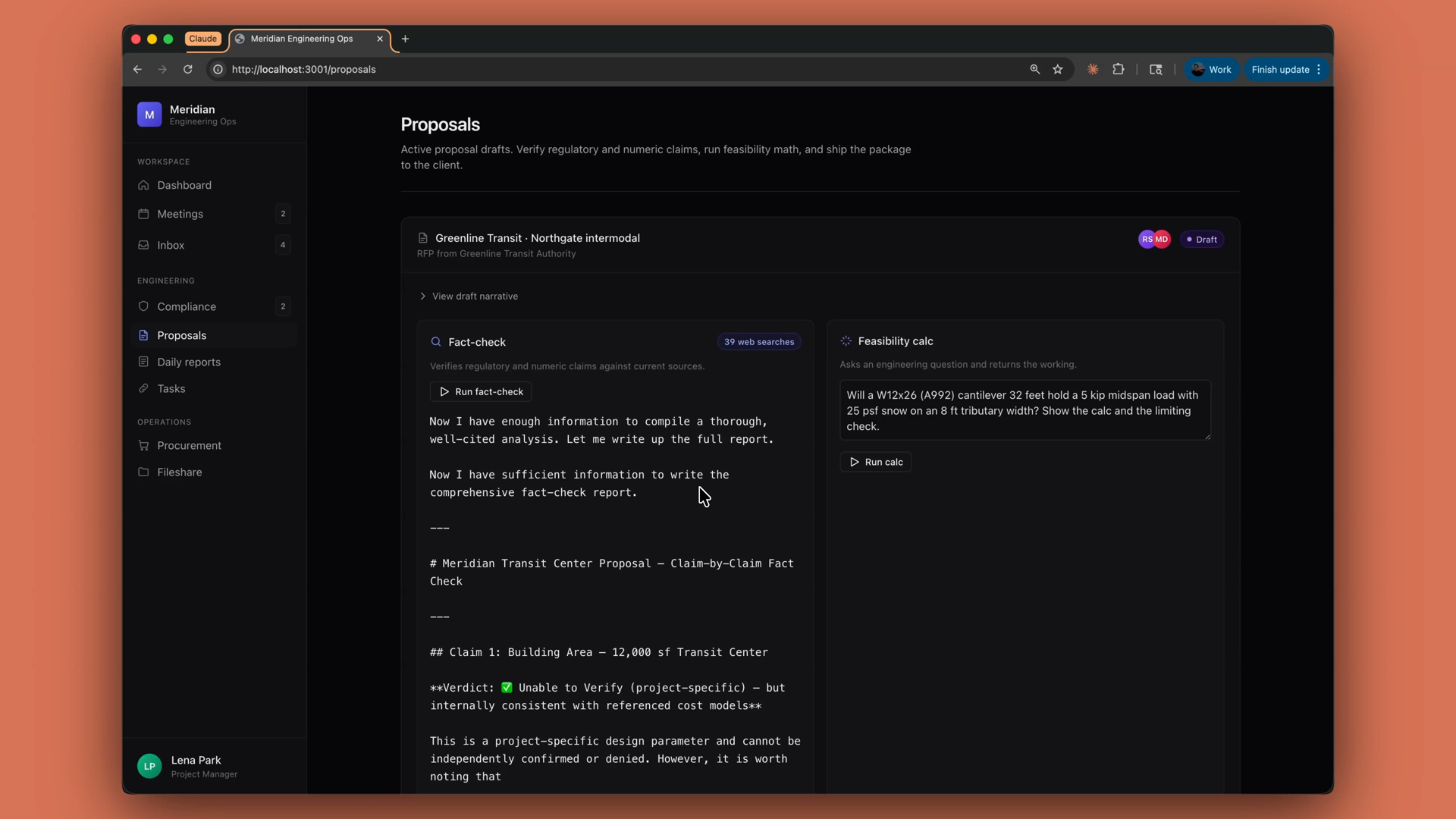
One reminder, though: just because something is validated on the internet doesn't mean it's true. Always double-check Claude's work.
Recap
- Server tools — web search, code execution, web fetch — are declared in your
toolsarray. Anthropic runs them. - You get the result in the same response, with no agent loop required. Look for
server_tool_useand tool result blocks alongside the regular text blocks. - Client tools like memory and bash run where your code runs, but the SDK ships the schema and a runner for you.
- The "hosted by Anthropic" idea scales all the way up: managed agents apply it to the entire agent, not just one tool.
🎬 Video transcript
Source video:
pm8iwdSIs3M
No transcript available — see lesson body for narrative content.
🔁 Related lessons
- Next: Skills
- Previous: What is thinking?
- Part of paths: Path C
- Reference docs: Glossary · Skills atlas · By use-case
📚 Source & attribution
- Original Anthropic Academy lesson: https://anthropic.skilljar.com/claude-platform-101/486258
- © 2025 Anthropic. Educational fair-use only.